⏳ Offer valid today only ·
🔒 100% safe and secure payment

80+ visual cards to master Bambu StudioKnow where to click and what to set – from your very next print!

Every Bambu Studio task on one card: find the card, follow the markers, print. No more hours of searching.

Kit of 80+ Bambu Studio cards and 4 bonuses I want access to the cards →
⚡ Instant access📱 100% digital🔒 Secure payment
Preview

Take a look inside the cards

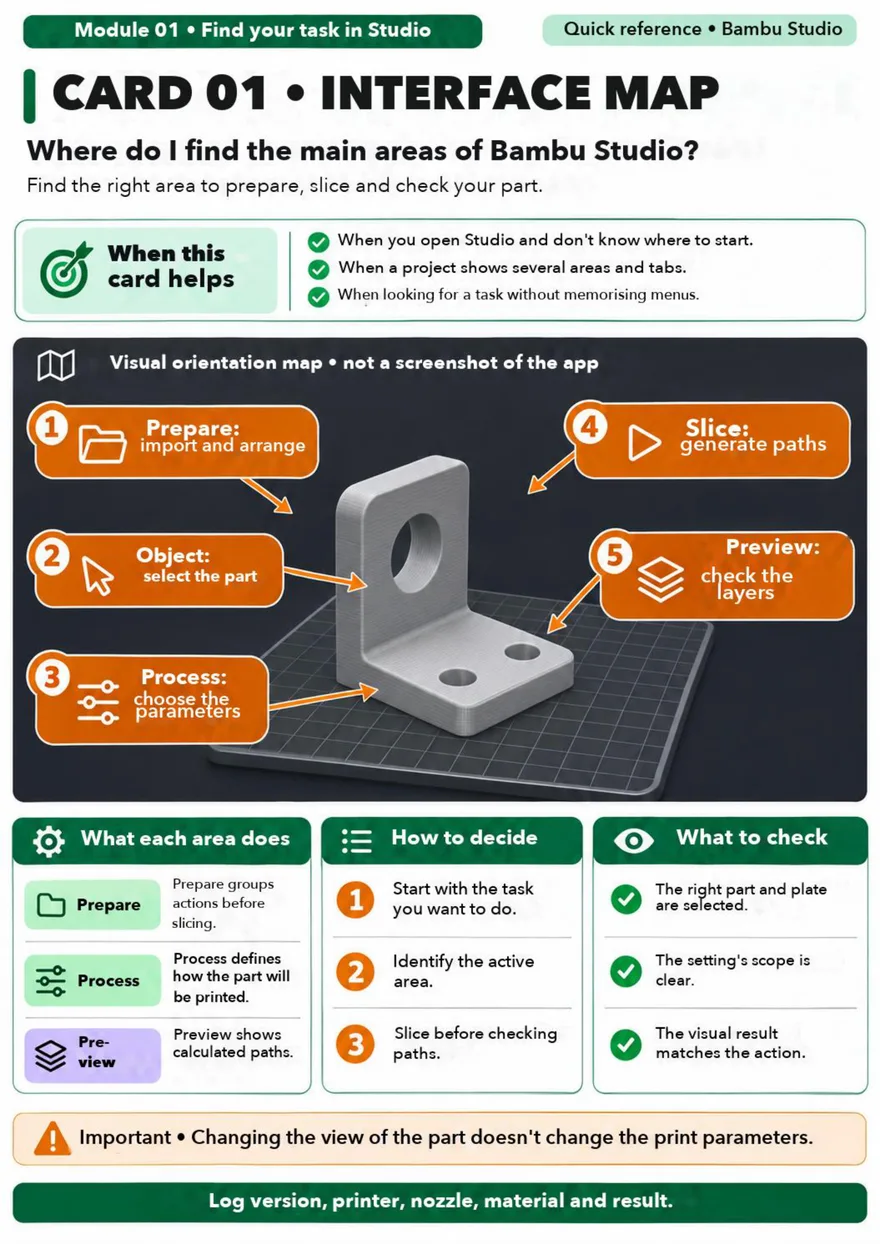
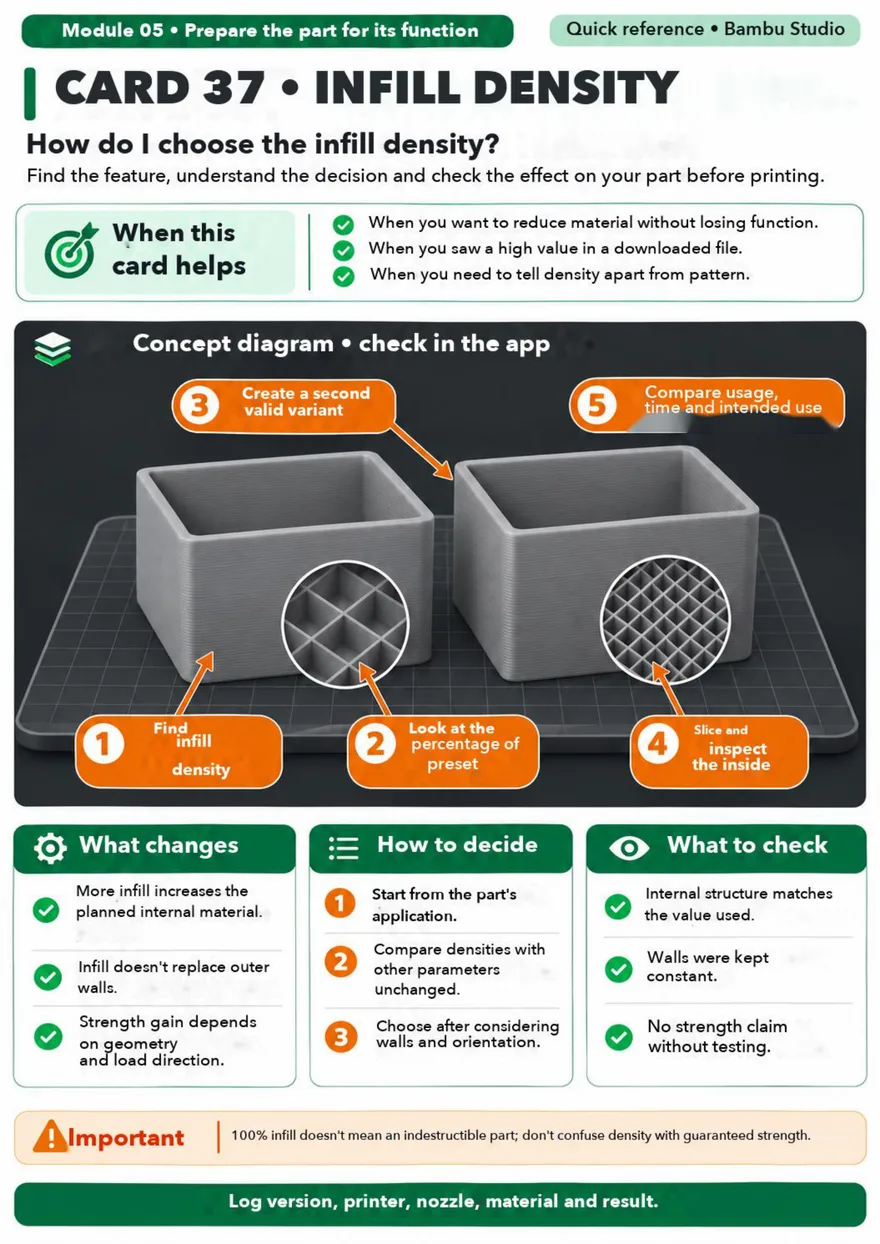
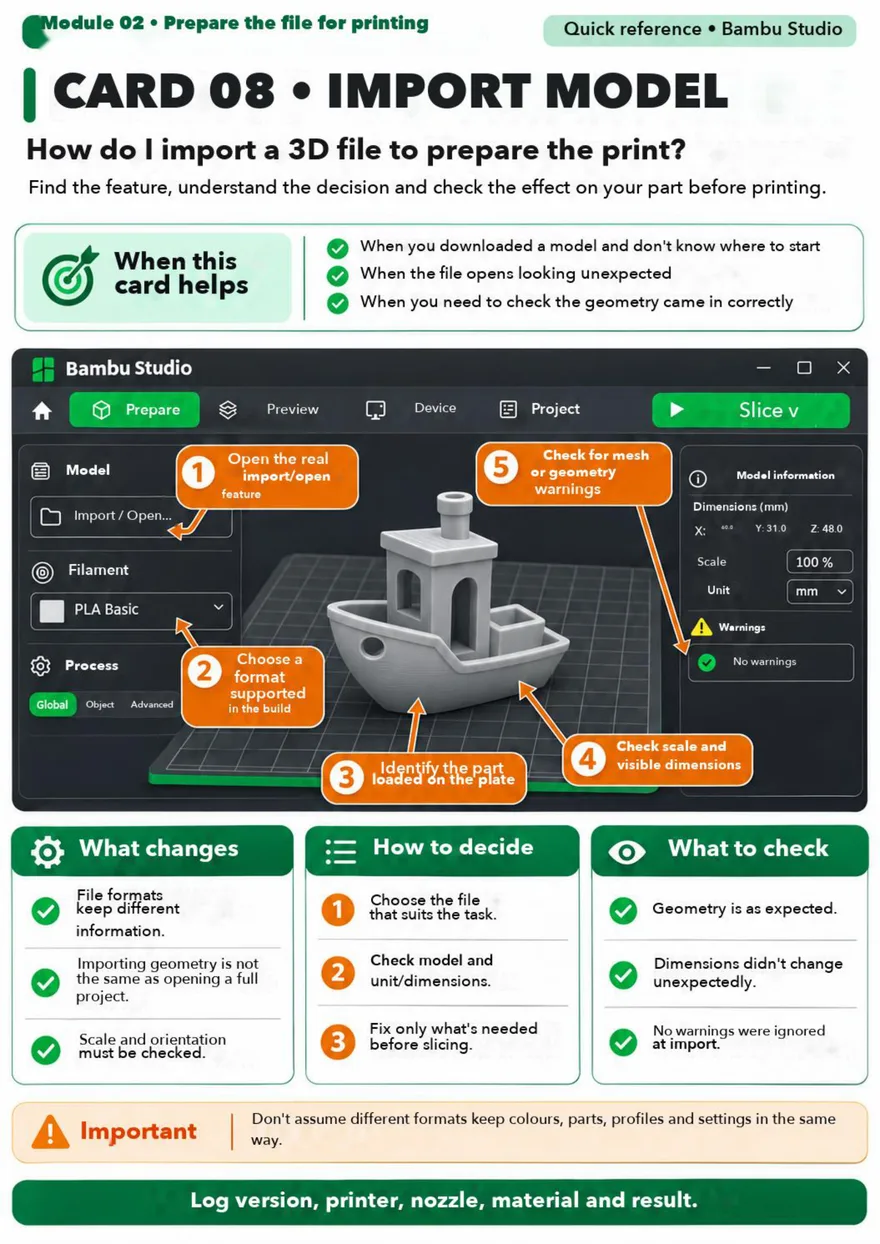
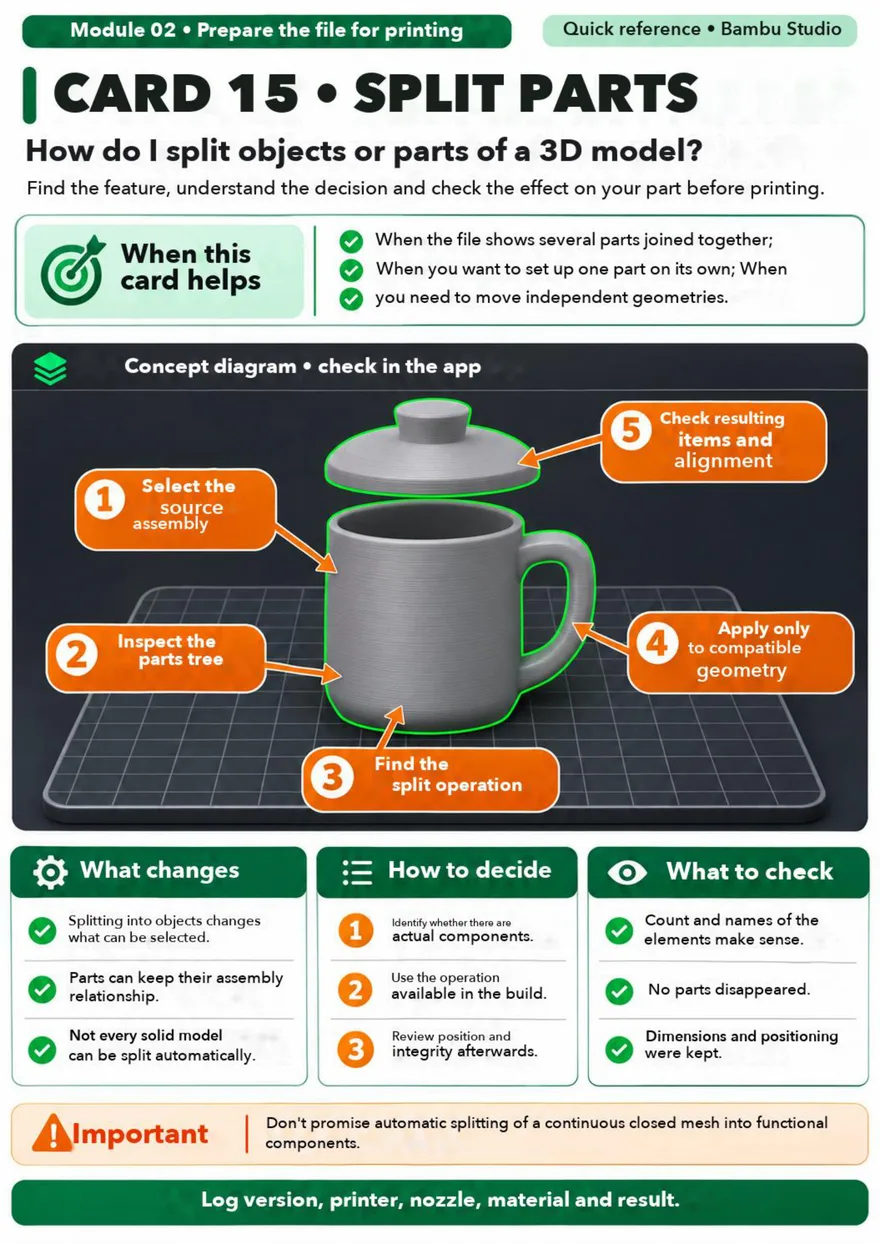
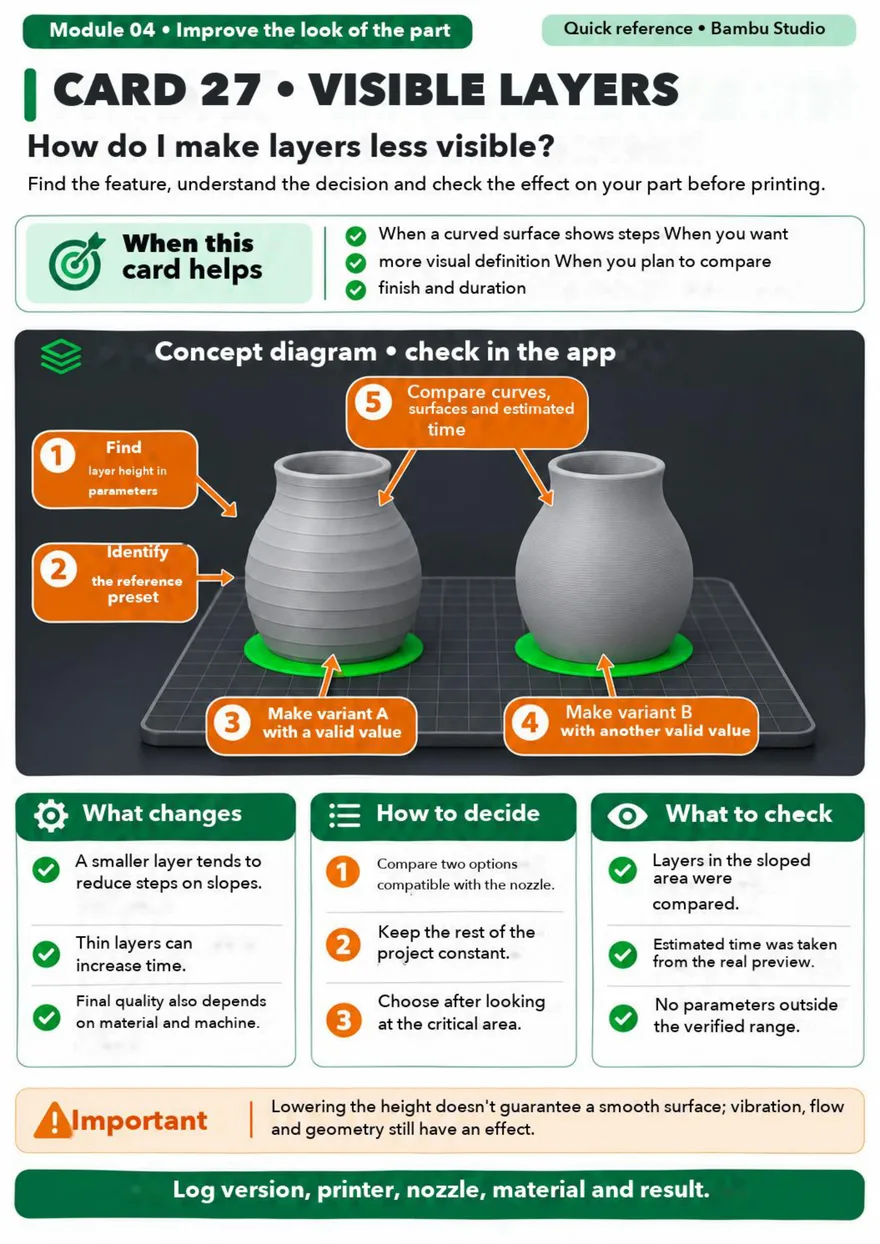
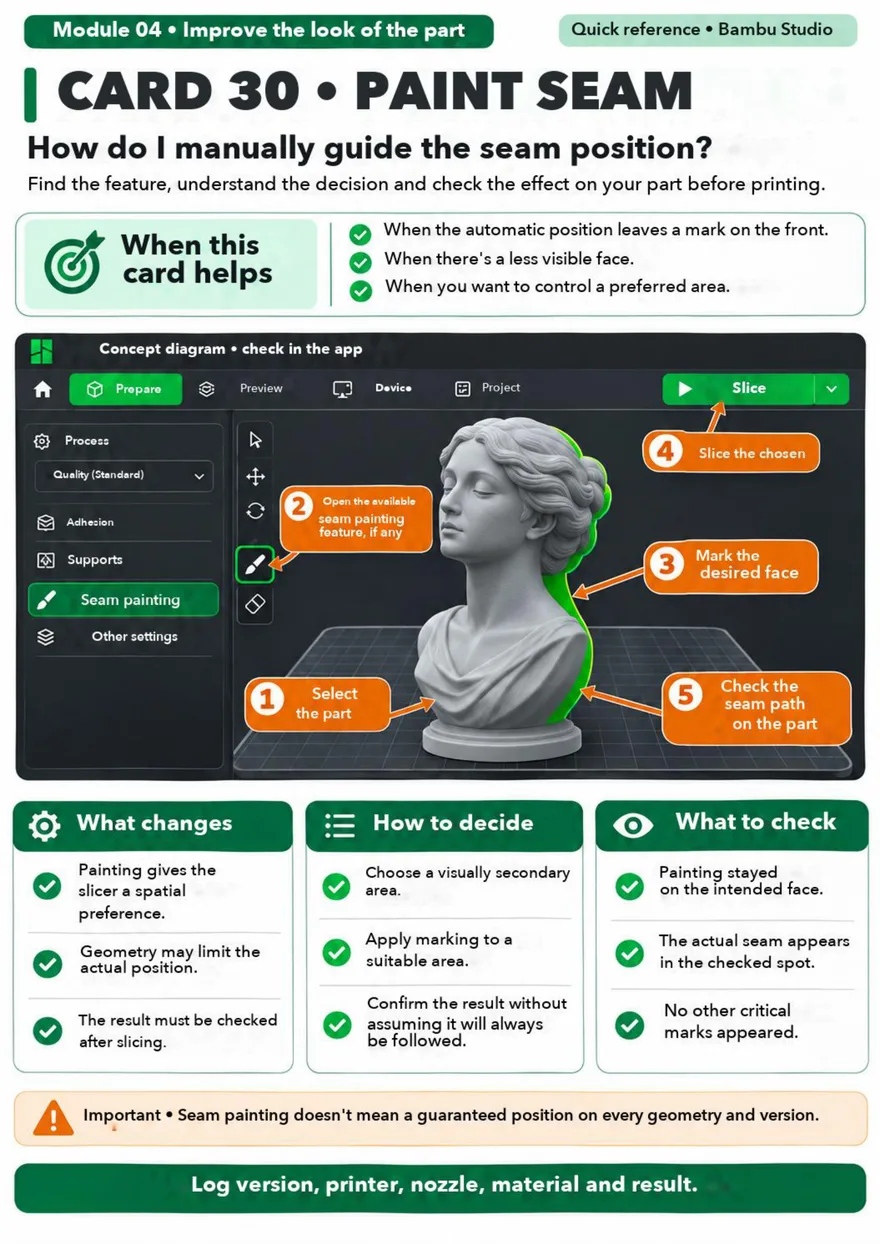
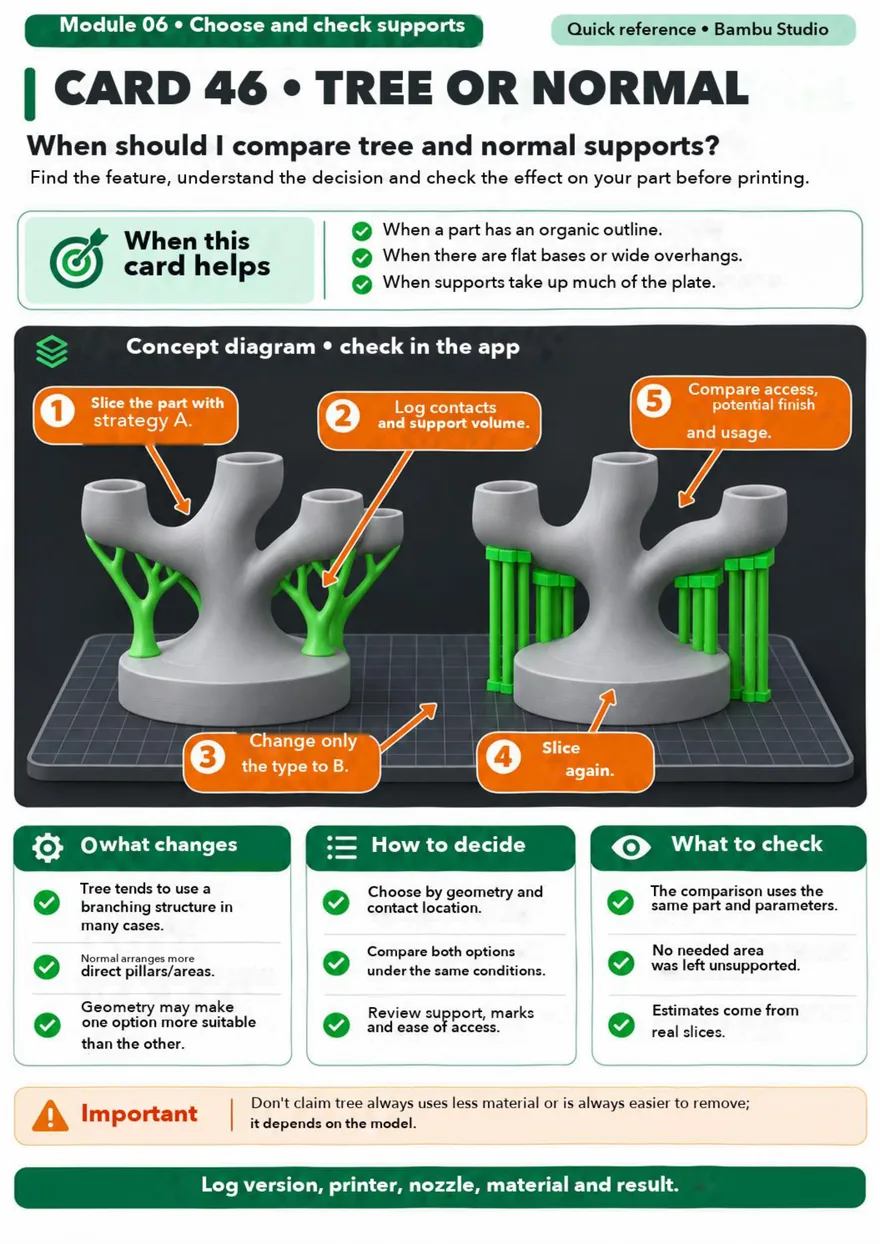
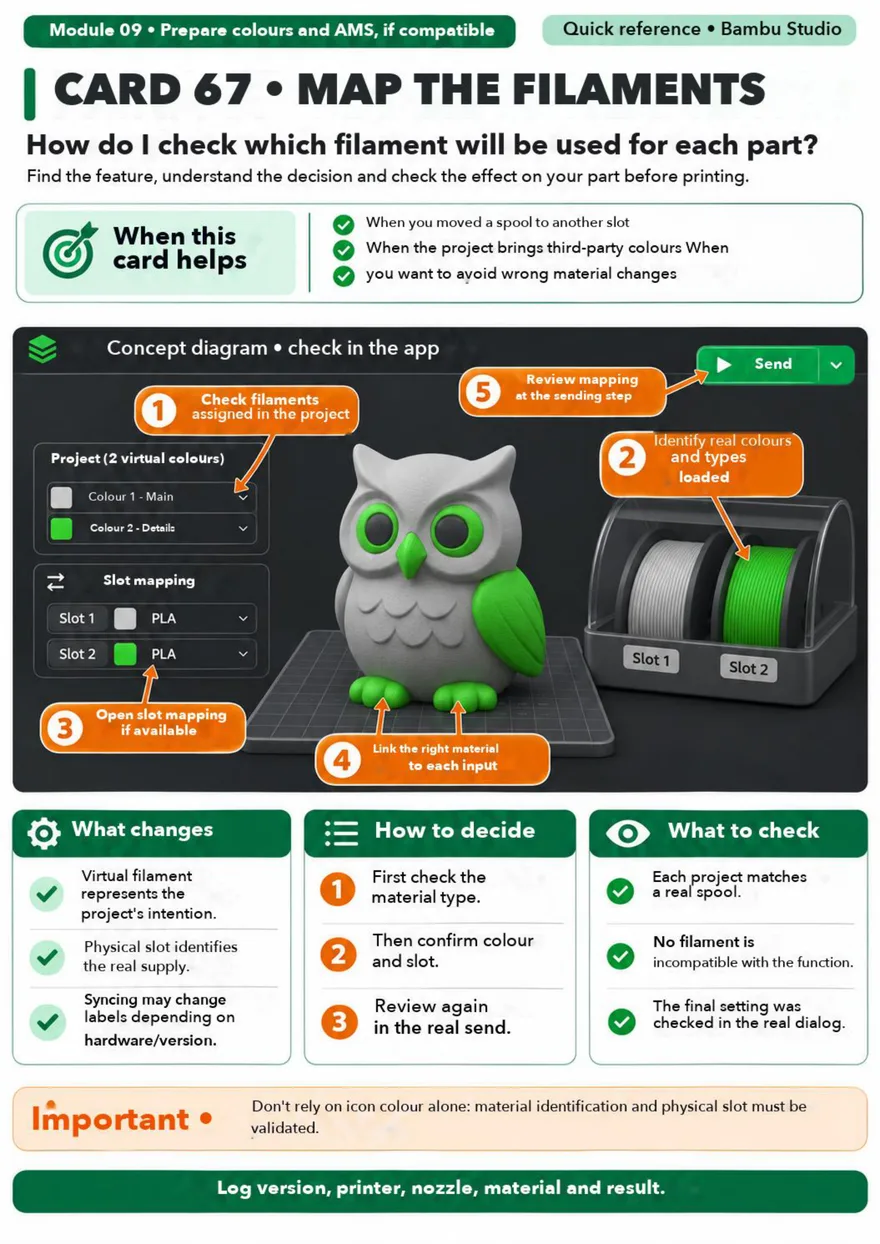
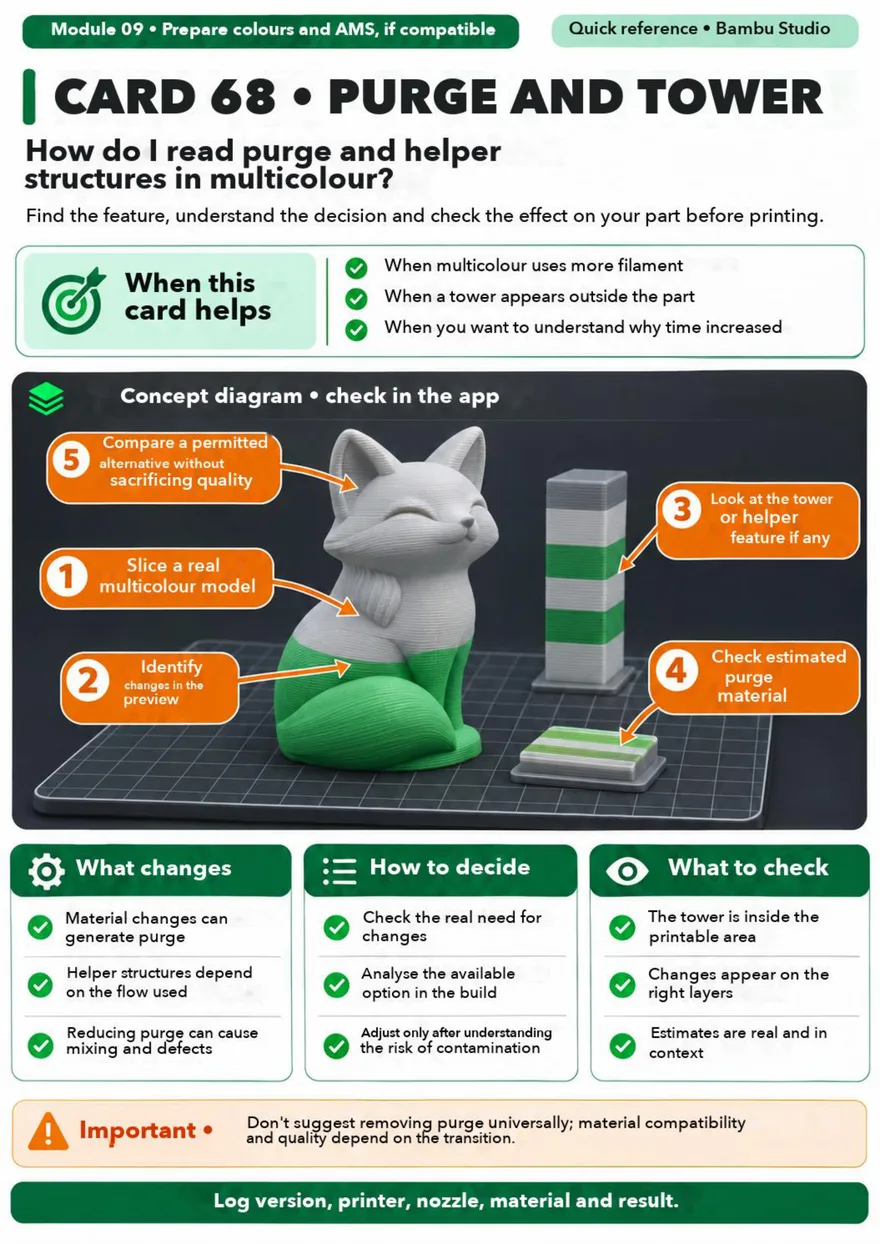
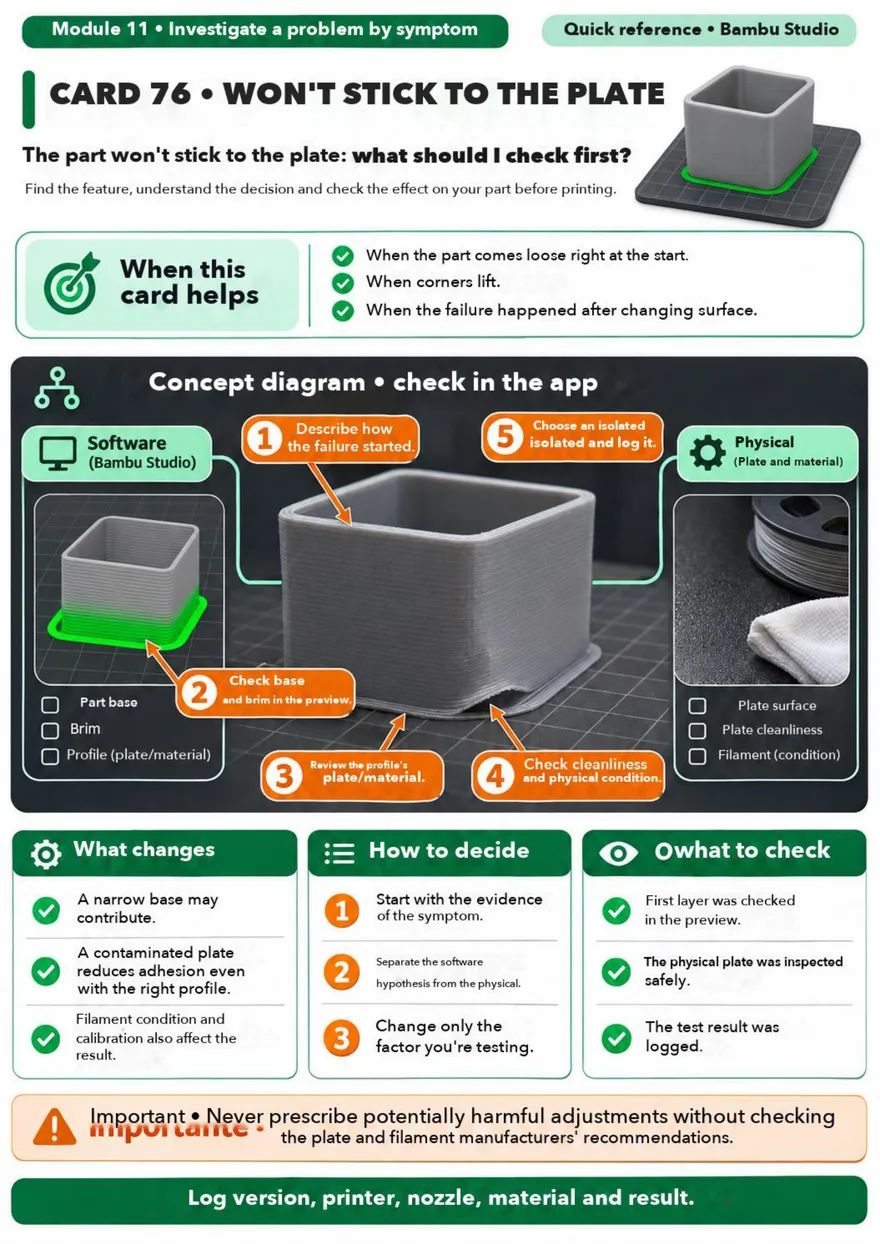
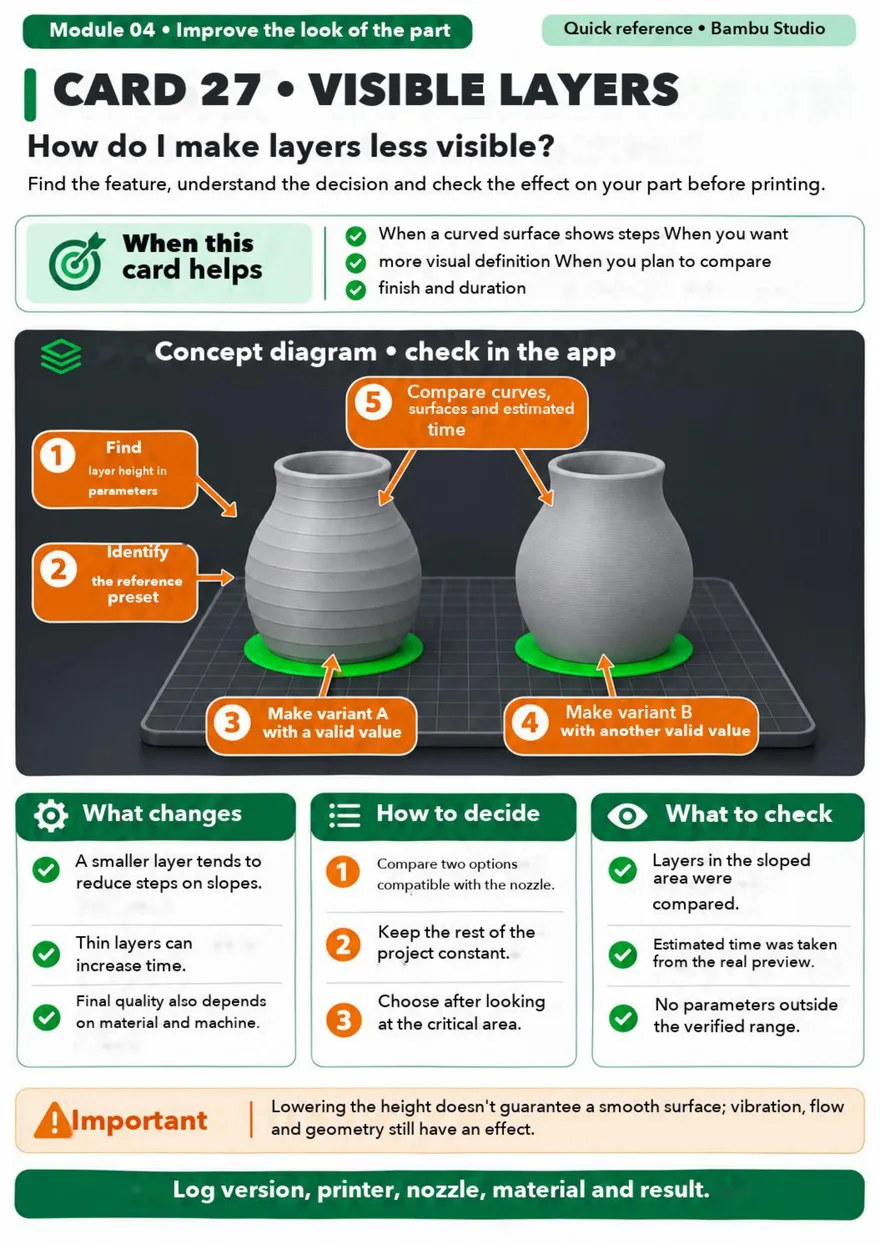
Each card answers one specific Bambu Studio question, with an annotated diagram and the points to check.

Bambu Studio card 1Bambu Studio card 2Bambu Studio card 3Bambu Studio card 4Bambu Studio card 5Bambu Studio card 6Bambu Studio card 7Bambu Studio card 8Bambu Studio card 9Bambu Studio card 10
I want all the cards →

Everything you need to know,
on a single card

Every card follows the same layout, so you always find the information in the same place.

Tap the numbers to see each part

1

Module and question

The module, the number and the question the card answers.

2

When this card helps

The situations to open it in – you know straight away if it's the right one.

3

Annotated diagram

The part and numbered markers: what to look at, and in what order.

4

What it changes

The effect of the setting on the part, the print time and the material.

5

How to decide

The steps to choose without testing everything at random.

6

Important

The mistake to avoid and what the setting won't fix.

Before and after the right setting

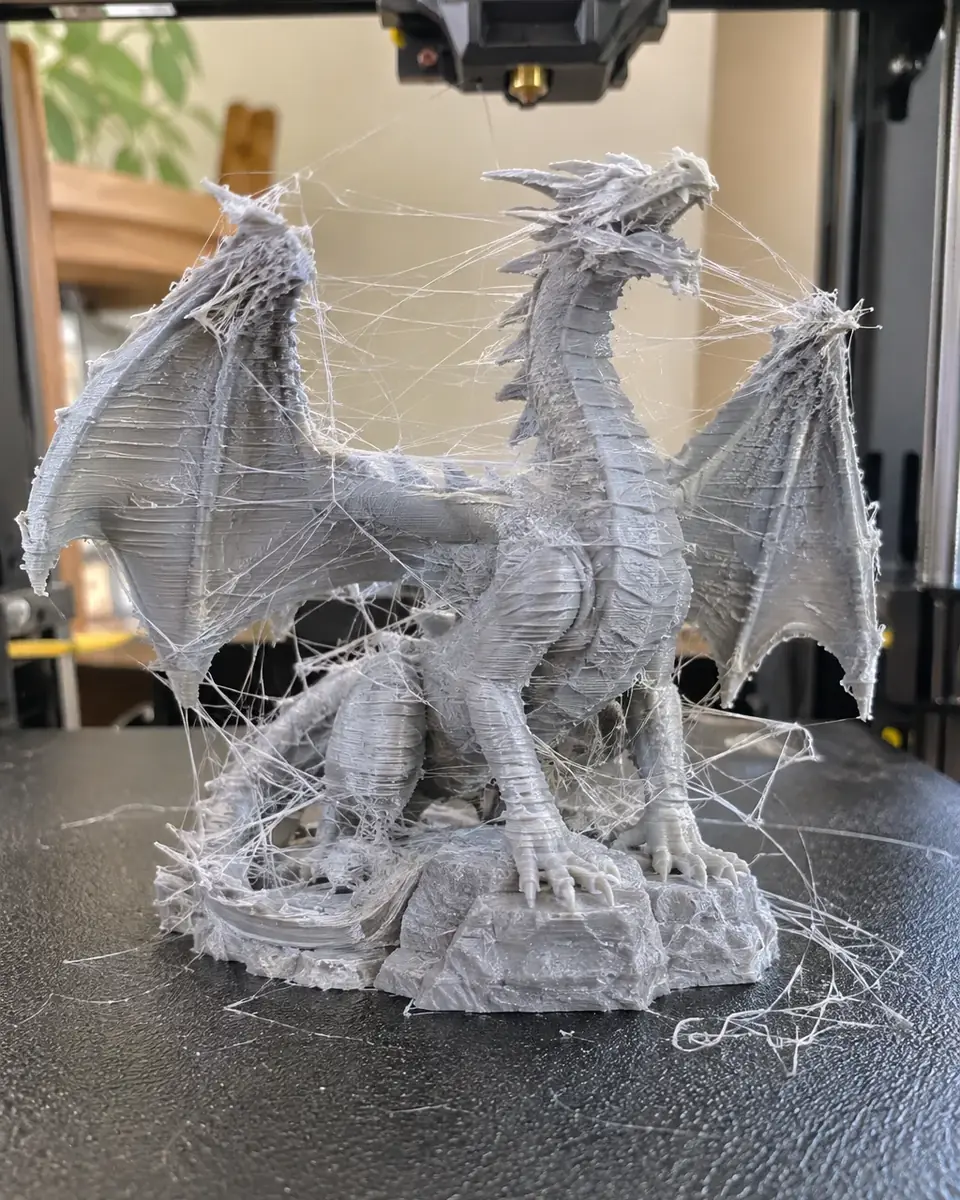
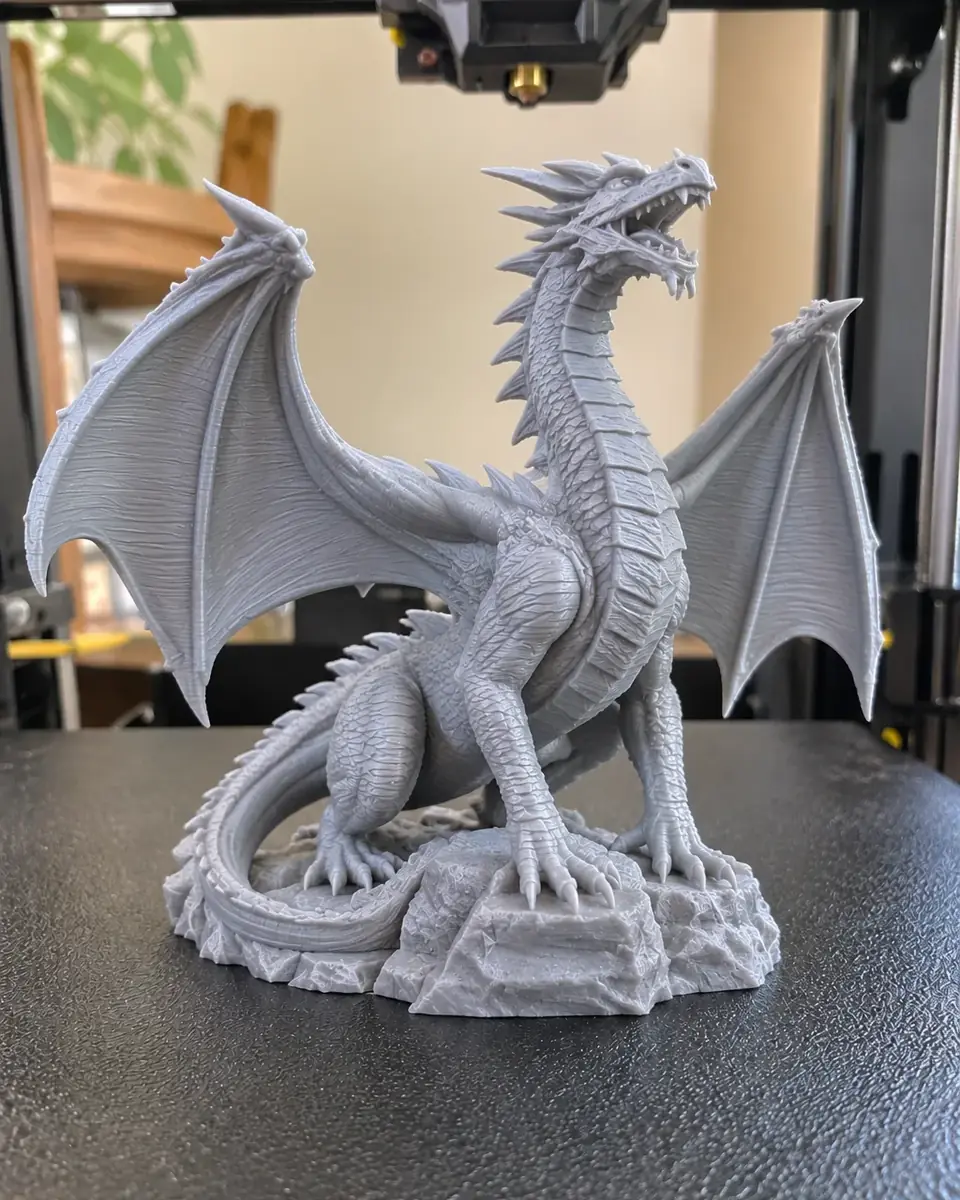
Stringing, visible layers, a failed first layer… Drag the slider to see the difference the right setting makes.

Failed 3D print
Successful 3D print
BEFOREAFTER
⟷

DRAG TO COMPARE

Bambu Studio is powerful… but it's easy to get lost

Dozens of tabs, profiles and parameters: without a guide, every print turns into a test.

Not knowing where to click

The setting exists, but you can't find it anywhere in the menus.

Confusing profiles

0.08, 0.12, 0.20 mm, Fine, Standard… which one is right for your part?

Failed supports

Too many, too few, impossible to remove or leaving marks on the part.

First layer won't stick

The part lifts off the plate and you have to start all over again.

AMS and colours

Purging, prime tower, filament mapping: wasted filament everywhere.

Endless tutorials

30-minute videos for a single tick box.

SPECIAL PRICE: ENDS TODAY

Grab the current price while the offer is still available.

00HOURS
00MIN
00SEC
Grab it now →
Who is it for?

These cards are for you if:

🎁

You've just got your Bambu Lab

You want your first prints to work without spending evenings on YouTube.

⚙️

You already print, but blind

You use the default profiles without knowing what they actually change.

🎨

You have an AMS

You want multi-colour prints without wasting filament.

📦

You sell or gift your prints

You want clean, strong and consistent parts.

🧩

You print functional parts

Orientation, walls, infill: you want parts that hold up.

📚

You learn better visually

One clear card next to your computer instead of scattered info.

What's inside

The 11 modules of the library

80+ visual cards sorted by task: open the module you need, exactly when you need it.

01

Find your task in the Studio

The interface, where to find a parameter, tools and views.

7 cards
02

Prepare the file for printing

Import, open a 3MF, move, orient, scale, cut.

10 cards
03

Check your starting point

Printer profile, nozzle, plate, filament and process.

9 cards
04

Improve the look of the part

Visible layers, variable layer height, seam, ironing, fine details.

8 cards
05

Prepare the part for its function

Orientation, walls, infill, reinforcement: strong parts.

7 cards
06

Choose and check supports

Tree or normal, angle, interface, clean removal.

9 cards
07

Look after the first layer

Brim, raft, contact area, plate and material.

8 cards
08

Compare time and usage

Reading estimates, speed profiles, the cost of supports.

6 cards
09

Prepare colours and AMS

Compatible filaments, mapping, purging and prime tower.

5 cards
10

Check, send and save

Layer-by-layer preview, sending, saving your settings.

6 cards
11

Investigate a problem by symptom

Won't stick, stuck supports, surface defects, weak part.

5 cards

🎁 4 EXCLUSIVE BONUSES

Free with your kit today

Quick-reference guides to avoid mistakes, set up supports, check your process and calibrate your printer.

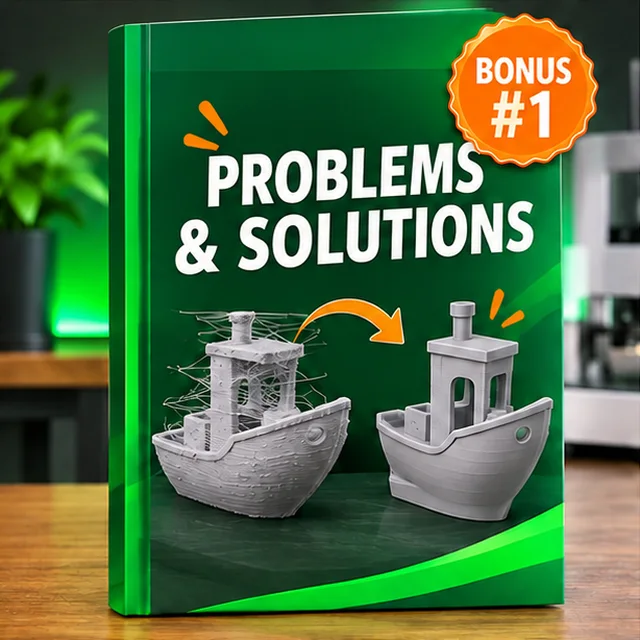
BONUS #1Bonus 1: Problems & Solutions

🎁 Bonus #1 — Problems & Solutions

The defect, the cause and the setting to fix.

Value: £8.99FREE
BONUS #2Bonus 2: Supports Guide

🎁 Bonus #2 — Supports Guide

When and how to use supports.

Value: £8.99FREE
BONUS #3Bonus 3: Pre-Print Checklist

🎁 Bonus #3 — Pre-Print Checklist

Check everything in 1 minute before printing.

Value: £8.99FREE
BONUS #4Bonus 4: Calibration STL Kit

🎁 Bonus #4 — Calibration STL Kit

The files to calibrate your printer.

Value: £8.99FREE

Your complete kit today

The 80+ cards and the 4 bonuses, for one single payment.

🔥 TODAY'S SPECIAL OFFER

Everything you get:

  • 80+ visual Bambu Studio cards (11 modules)£24.99
  • Bonus 1: Problems & Solutions£8.99
  • Bonus 2: Supports Guide£8.99
  • Bonus 3: Pre-Print Checklist£8.99
  • Bonus 4: Calibration STL Kit£8.99
  • Lifetime accessIncluded
Total value£60.95
TODAY ONLY
£19.99
You save £40.96 (-67%)
YES, I WANT MY CARDSInstant access · £19.99
💳 CardPayPal🔒 Secure payment⚡ Instant access

15-day money-back guarantee. If the cards aren't right for you, you get a 100% refund – no questions asked.

Payment processed by Hotmart · Digital product · Access by email

Digital delivery

How do you get the cards?

1

You order

Click the button and complete your purchase in a few seconds.

2

You get access by email

Your access link lands in your inbox right after payment.

3

You download and print

Ready-to-use PDFs to view or print whenever you like.

15-day money-back guarantee

15-day money-back guarantee: zero risk!

If, within 15 days of your purchase, you find that:

  • the cards aren't right for you;
  • the content doesn't live up to your expectations;
  • or you simply decide it's not for you.

Just ask for a refund within 15 days of purchase. No hassle, no stress and no questions asked.

Frequently asked questions

Is this a physical or digital product?

100% digital, in PDF. You get access by email straight after your payment is confirmed.

Will it work with my printer?

The cards are made for Bambu Studio and Bambu Lab printers (A1, A1 mini, P1S, P1P, X1C, H2D). The same setting logic also applies to OrcaSlicer.

What if Bambu Studio changes with an update?

The cards explain what to set and why – the logic stays the same even if a button moves.

Can I print the cards?

Yes. All cards are high resolution, ready to print and keep next to your computer.

Do I need to be an expert?

No. They're designed for beginners and for anyone who already prints and wants to get faster.

How long will I have access?

For life. Once you've downloaded the files, they're yours.

Is the payment secure?

Yes. Payment is processed by Hotmart, a digital products platform used by millions of customers.

What if I don't like the cards?

You're covered by a 15-day guarantee. Just ask for a refund within that period.